Indoor P3.91 Conference Room LED Screen: A Comprehensive Guide
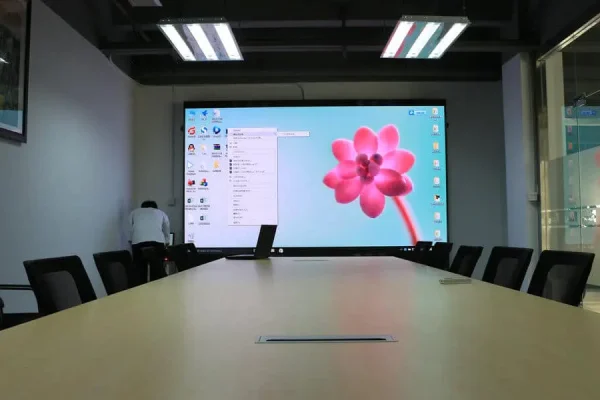
An indoor P3.91 LED screen is an ideal solution for conference rooms that require sharp visuals, vibrant colors, and seamless performance. It is designed for events like corporate meetings, presentations, and live-streamed conferences where high-quality visuals and professional-grade performance are essential.
This article breaks down the key features, specifications, costs, and benefits of using a P3.91 LED wall in conference rooms.
What is a P3.91 LED Screen?
The P3.91 LED screen refers to an LED display with a pixel pitch of 3.91 mm, meaning the distance between each pixel is 3.91 millimeters. This pixel pitch ensures:
- High resolution for sharp, clear visuals.
- Close viewing distance (best for audiences sitting 3–5 meters away).
- Seamless image quality, perfect for indoor environments like conference rooms.
Key Features of an Indoor P3.91 LED Screen
1. High Resolution
- With a pixel pitch of 3.91 mm, the screen delivers sharp visuals and crisp details, making it suitable for close viewing in smaller rooms.
- Resolution depends on the screen size, ensuring images, videos, and text are displayed with clarity.
2. Brightness and Contrast
- Indoor P3.91 screens typically feature a brightness level of 800–1200 nits, ensuring excellent visibility even in well-lit conference rooms.
- High contrast ratios enhance color depth and sharpness.
3. Wide Viewing Angle
- Provides a 140°–160° horizontal and vertical viewing angle, ensuring clear visuals for all participants, regardless of seating position.
4. Seamless Modular Design
- The screen is constructed from modular panels, ensuring a smooth, gap-free display.
- Panels can be easily replaced or repaired without disrupting the entire screen.
5. Lightweight and Thin
- Designed for indoor use, P3.91 LED panels are lightweight and ultra-thin, making them easy to mount on walls or integrate into existing conference room designs.
6. Energy Efficiency
- Modern P3.91 LED screens are equipped with low-power consumption technology, reducing energy costs while maintaining excellent performance.
7. Flexible Content Display
- Supports multiple input formats (HDMI, DVI, VGA, USB, etc.), making it compatible with laptops, cameras, and video conferencing systems.
Specifications of a P3.91 LED Screen
| Specification | Details |
|---|---|
| Pixel Pitch | 3.91 mm |
| Best Viewing Distance | 3–50 meters |
| Brightness | 800–1200 nits (ideal for indoor use) |
| Refresh Rate | ≥7680 Hz (smooth visuals) |
| Panel Size | 500 mm x 500 mm (typical modular size) |
| Contrast Ratio | 3000:1 |
| Viewing Angle | 140°–160° (wide angle) |
| Weight | 7–10 kg per panel |
| Lifespan | 50,000–100,000 hours |
| Power Consumption | 200–300 W/m² (average) |
Advantages of Using a P3.91 LED Screen in Conference Rooms
1. Professional Visuals for Presentations
The high resolution and brightness make the P3.91 LED wall perfect for displaying:
- Corporate presentations.
- Charts, graphs, and data visuals.
- High-definition videos and animations.
2. Enhanced Audience Engagement
The vibrant colors and seamless display ensure that the audience remains engaged throughout the presentation or meeting.
3. Space-Saving Design
- The slim profile and wall-mountable design ensure the screen integrates seamlessly into the conference room without taking up unnecessary space.
4. Versatile Applications
- Supports video conferencing, live streaming, and multi-screen setups for hybrid meetings or events.
5. Durable and Reliable
- Built with high-quality materials, the P3.91 LED screen is designed for long-term use with minimal maintenance.
6. Easy Installation and Maintenance
- Modular panels allow for quick assembly and easy replacement of faulty modules, minimizing downtime.
Costs of an Indoor P3.91 LED Screen
The cost of a P3.91 LED display depends on factors like screen size, brand, and installation requirements. Below is a rough cost estimate:
Cost Per Square Meter
- $900–$1,500 per m² (depending on quality and brand).
Example Costs:
| Screen Size | Ideal Use Case | Estimated Cost |
|---|---|---|
| 6 m² (3 x 2 m) | Small conference room | $5,400–$9,000 |
| 10 m² (5 x 2 m) | Medium-sized meeting room | $9,000–$15,000 |
| 20 m² (10 x 2 m) | Large conference hall | $18,000–$30,000 |
Additional Costs:
- Video Processor: $1,500–$5,000 (for managing content).
- Mounting and Installation: $1,000–$3,000 depending on complexity.
- Cabling and Power Supplies: $500–$2,000.
Applications of P3.91 LED Screens
1. Corporate Conference Rooms
- Ideal for business presentations, strategy meetings, and executive discussions.
2. Training Rooms
- Deliver interactive training sessions using high-definition visuals and videos.
3. Event Venues
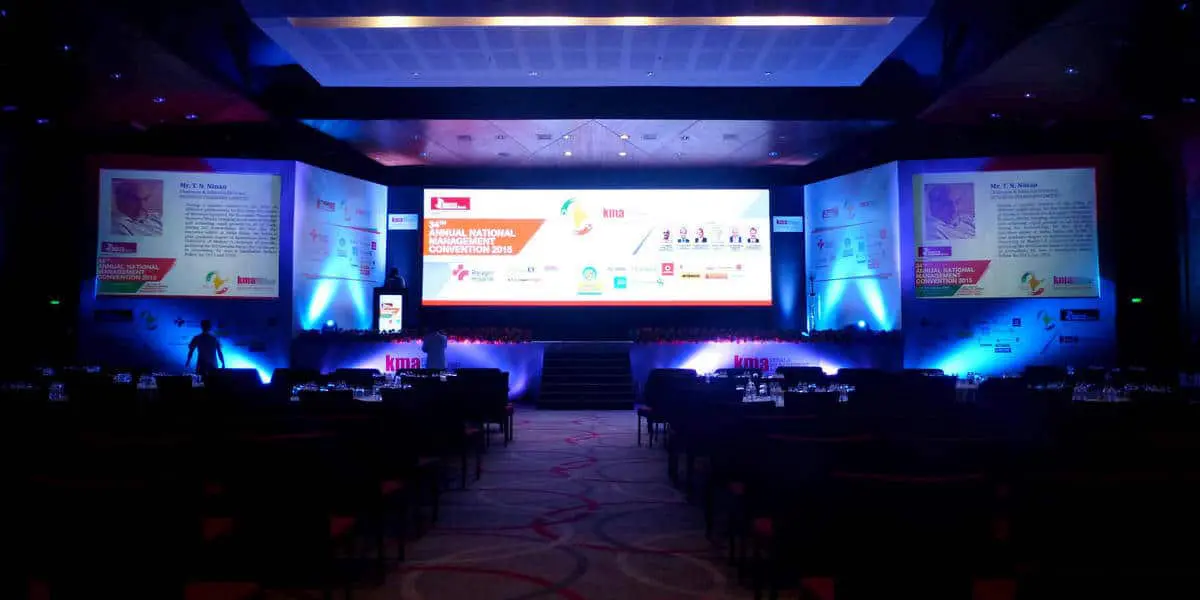
- Use in multi-purpose conference halls for live-streamed events, seminars, or keynotes.
4. Hybrid Meetings
- Integrate with video conferencing systems for remote participation during hybrid events.
Comparison: P3.91 vs. Other Pixel Pitches
| Pixel Pitch | Best Use Case | Resolution (Clarity) | Cost per m² |
|---|---|---|---|
| P2.5 | Close viewing (indoor) | High | $1,500–$2,500 |
| P3.91 | Medium-distance (indoor) | Moderate | $900–$1,500 |
| P5 | Large conference rooms | Moderate (further viewing) | $800–$1,200 |
| P6 | Large halls or auditoriums | Lower (long-distance) | $700–$1,000 |
- P3.91 is a great balance between resolution and cost for conference rooms requiring clear visuals at a moderate viewing distance.
Why Choose a P3.91 LED Screen for Your Conference Room?
- Great Visual Performance: The resolution and brightness are perfect for displaying professional content.
- Cost-Effective: Offers excellent value for money compared to smaller pixel pitches like P2.5.
- Versatility: Works well for multiple applications, including presentations, video conferencing, and live streaming.
- Durable and Reliable: Designed for long-term indoor use with minimal maintenance needs.
- Customizable Sizes: Modular design allows for screens tailored to your room dimensions.